Hi Electronics Club Members
Please make sure you attend the session on Wednesday 22nd February to hear details about a trip I am organising. If you cant attend please come and collect details after half term.
I have also ordered the circuits that you wanted so it's all systems go.
Have a great half term and I will see you when you get back.
Mr Waite
Thursday, 9 February 2012

Monday, 16 January 2012
Graphics GCSE Projects

A big congratulations to my Year 11 GCSE Graphics groups who have produced some excellent Controlled Assessment pieces. Here are some examples of their work.


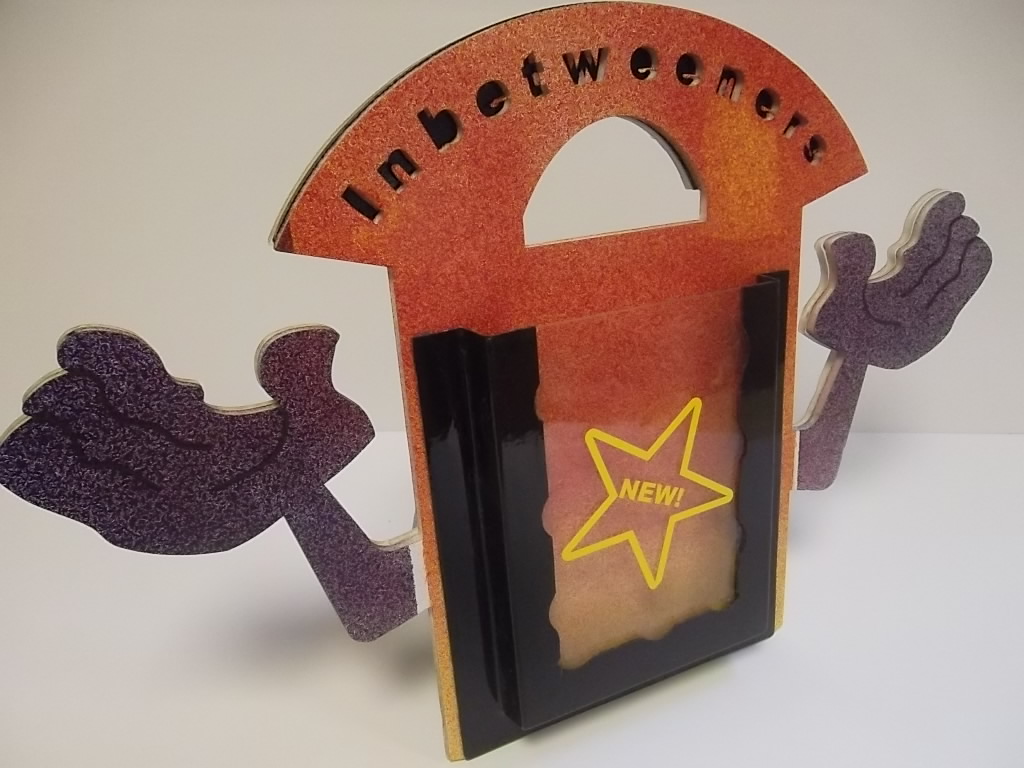


WELL DONE ALL !!
Electronics Club Next Session
Hi All
Happy New Year to you all.
Electronics club is on this Wednesday. I have phoned the company and they assure me that the circuits will be here on Wednesday so let's all cross our fingers. Make sure you bring in your money for the circuit. If you are unsure of the price come and let me know.
See you then
Mr W
Happy New Year to you all.
Electronics club is on this Wednesday. I have phoned the company and they assure me that the circuits will be here on Wednesday so let's all cross our fingers. Make sure you bring in your money for the circuit. If you are unsure of the price come and let me know.
See you then
Mr W
Saturday, 17 December 2011
Young Engineers Club
Hi Young Engineers
Thought you might like to see this if you didnt catch the Herald this week. Keep checking the blog for a date for the next session. Have a great Christmas.
Mr Waite

Thought you might like to see this if you didnt catch the Herald this week. Keep checking the blog for a date for the next session. Have a great Christmas.
Mr Waite

Thursday, 15 December 2011
Happy Christmas
On Behalf of myself and the whole Design & Technology Department have a wonderful and safe Christmas Break. See you all when you get back !
Mr Waite

Mr Waite
Saturday, 10 December 2011
Final Electronic session before Christmas
Hi there all you young Electronic Engineers.
The final electronics session before Christmas will be this Wednesday (14th) from 3.14 - 4.20
See you all there.
Mr Waite
The final electronics session before Christmas will be this Wednesday (14th) from 3.14 - 4.20
See you all there.
Mr Waite
Friday, 2 December 2011
Year 7 Sorter Project - Intro to Google sketchup Homework
Hi Year 7s
As part of your learning on this project you will be using CAD. CAD stands for Computer Aided Design. You have been introduced to the Google Sketchup software in class. It is a free download but please ask permission before download.
First Task
Go onto my YouTube channel and watch the introductory video on how to produce the drawing. The link is
http://www.youtube.com/watch?v=NN_lK7wD8eE
It will look like this. Watch the video

Task 2
Watch my second YouTube video explaining how to present your work. The link is
http://www.youtube.com/watch?v=3VZp7fPO8zg
It will look like this

Task 3
Complete your Google sketchup drawing of the sorter and present on 1 sheet of A4 ready for handing in. Print out and hand in.
Any problems please come and see me.
Mr Waite
As part of your learning on this project you will be using CAD. CAD stands for Computer Aided Design. You have been introduced to the Google Sketchup software in class. It is a free download but please ask permission before download.
First Task
Go onto my YouTube channel and watch the introductory video on how to produce the drawing. The link is
http://www.youtube.com/watch?v=NN_lK7wD8eE
It will look like this. Watch the video

Task 2
Watch my second YouTube video explaining how to present your work. The link is
http://www.youtube.com/watch?v=3VZp7fPO8zg
It will look like this

Task 3
Complete your Google sketchup drawing of the sorter and present on 1 sheet of A4 ready for handing in. Print out and hand in.
Any problems please come and see me.
Mr Waite
Subscribe to:
Posts (Atom)